
Land Rover Defender: Engine
Engine - Ingenium I4 2.0l Petrol/Ingenium I4 2.0l Petrol - PHEV
SPECIFICATIONS
Lubricants, Fluids, Sealers and Adhesives
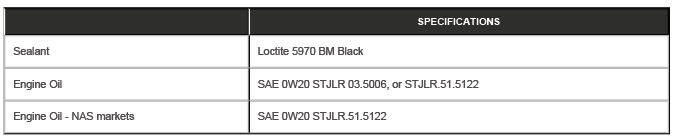
Capacities
.png)
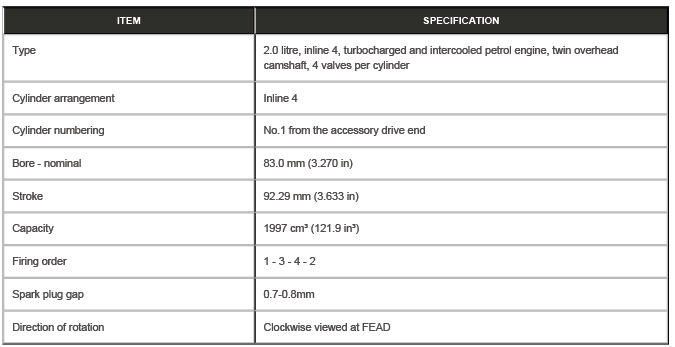
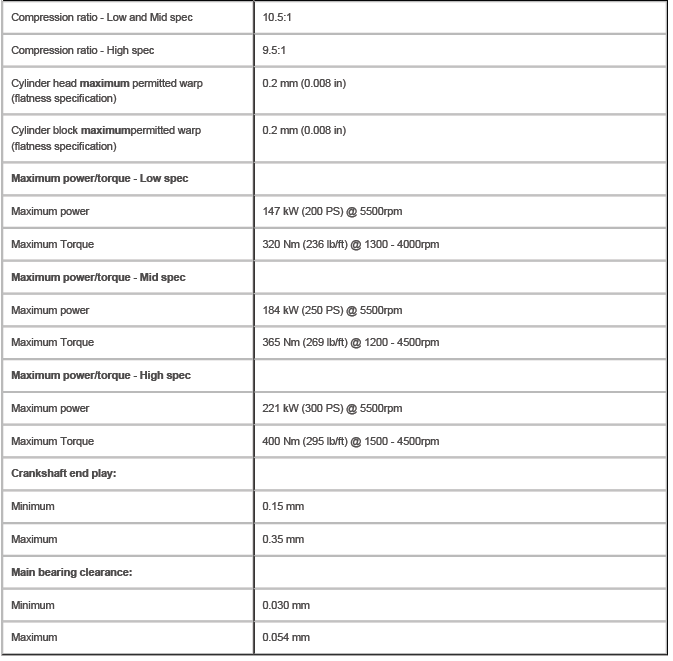
General Specification
NOTE: Numbers with a green background are a single use component.
COMPONENT TORQUE LOCATION
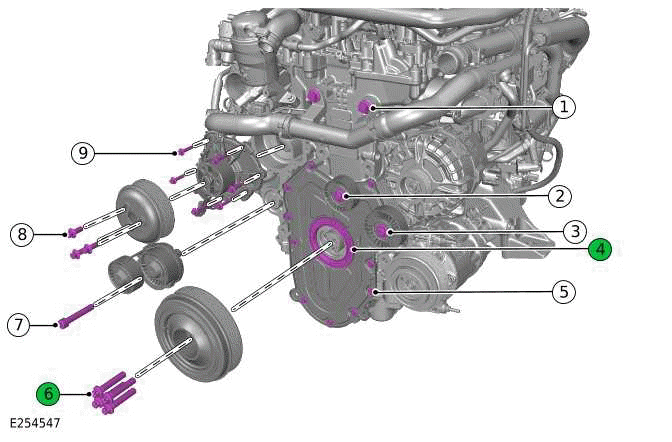
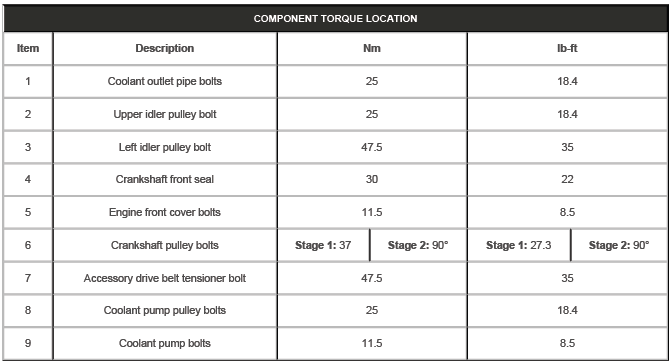
COMPONENT TORQUE LOCATION
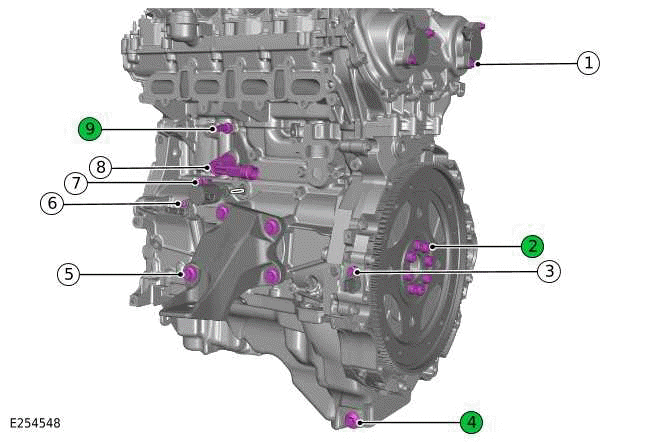
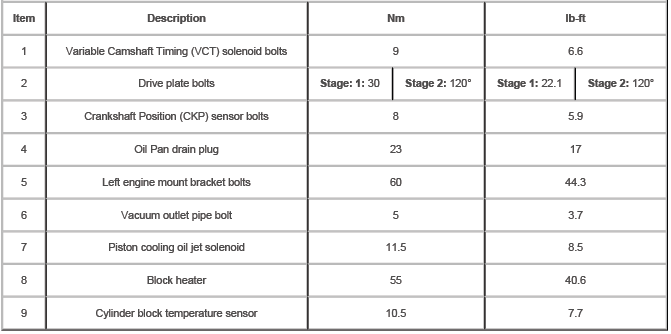
COMPONENT TORQUE LOCATION
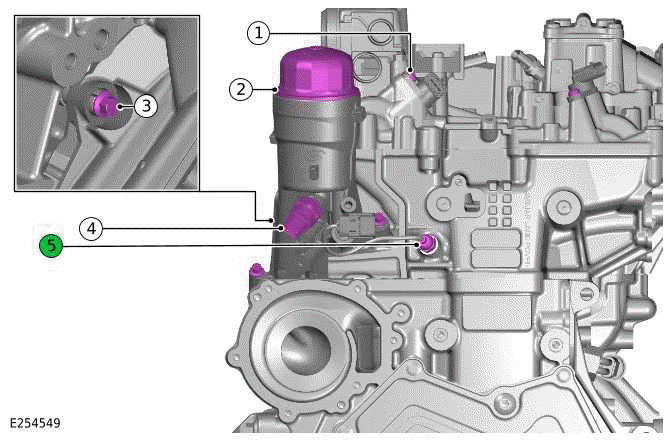
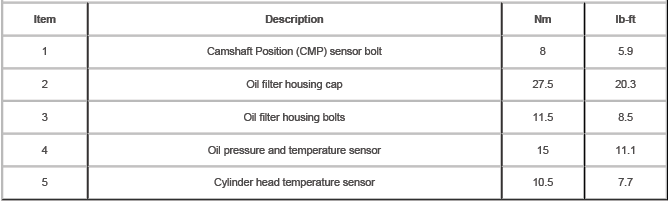
COMPONENT TORQUE LOCATION
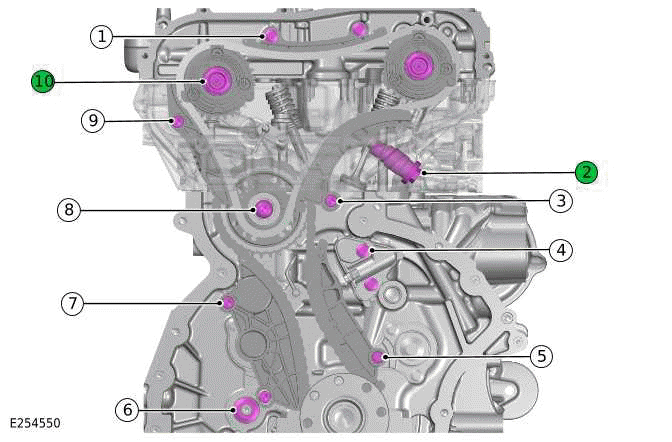
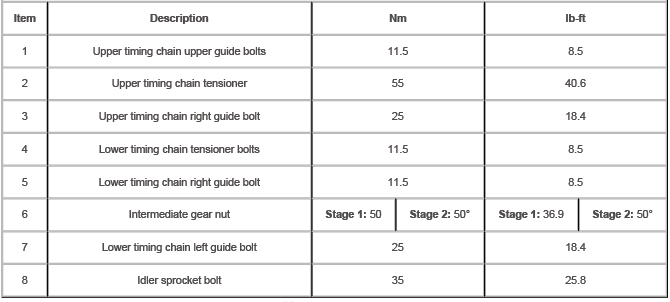

COMPONENT TORQUE LOCATION
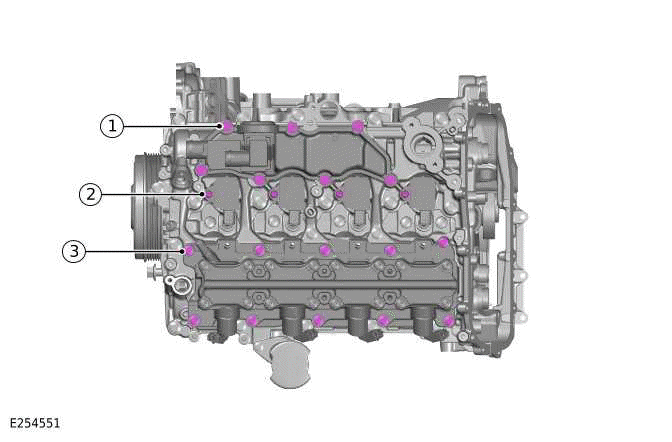
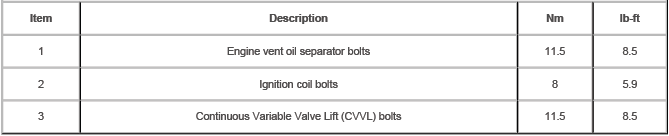
COMPONENT TORQUE LOCATION
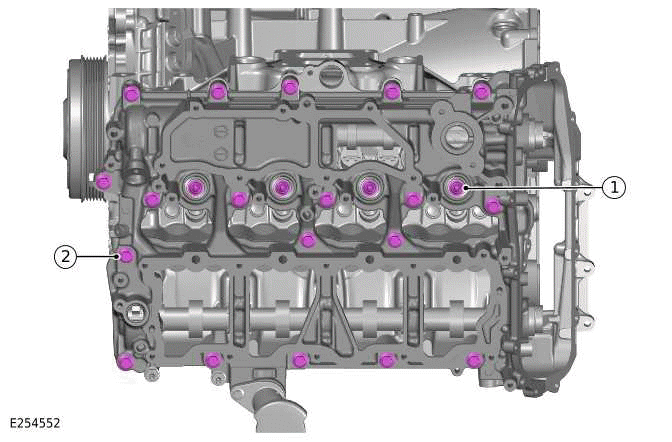

COMPONENT TORQUE LOCATION
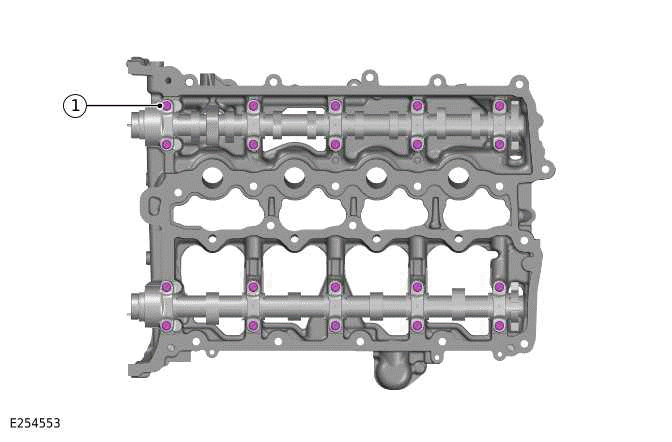

COMPONENT TORQUE LOCATION
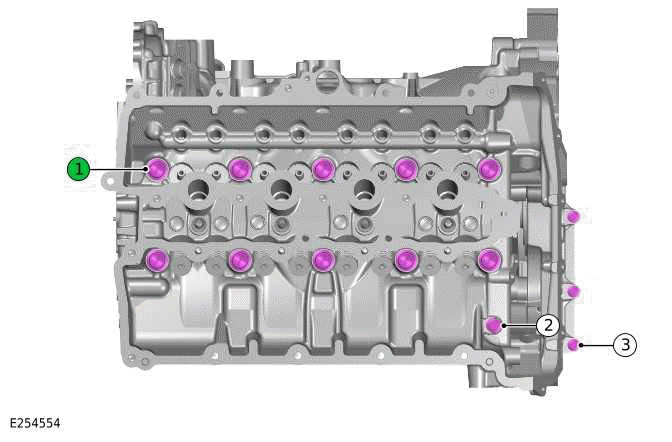
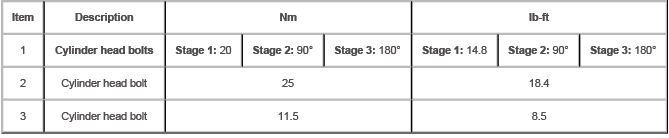
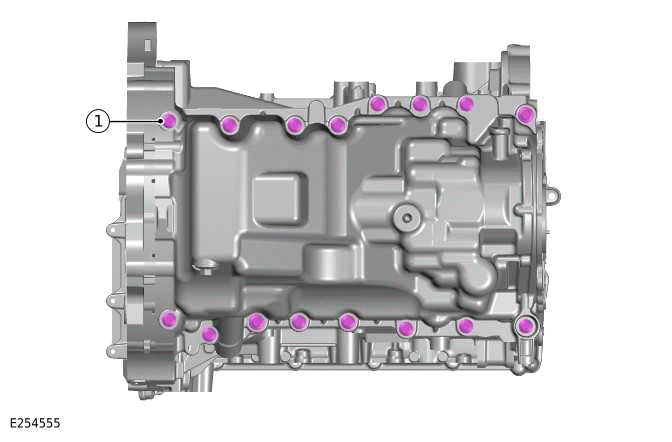
COMPONENT TORQUE LOCATION


COMPONENT TORQUE LOCATION
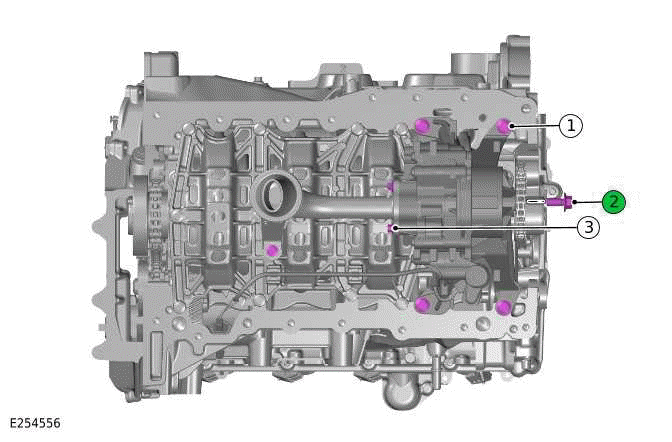
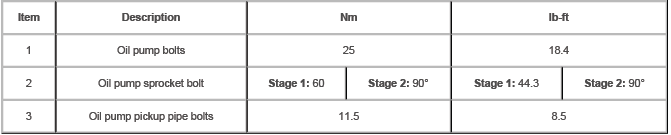
COMPONENT TORQUE LOCATION
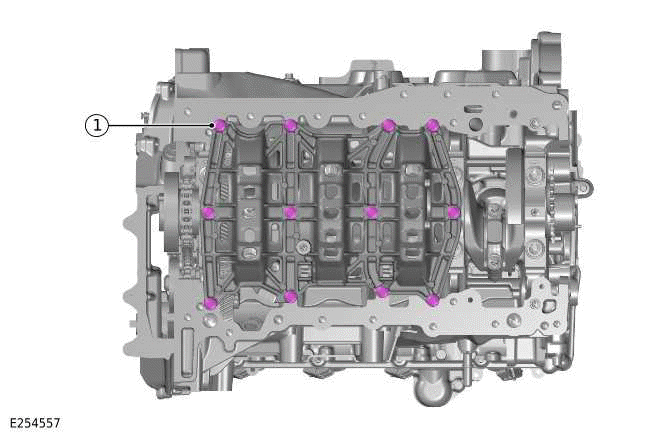

COMPONENT TORQUE LOCATION
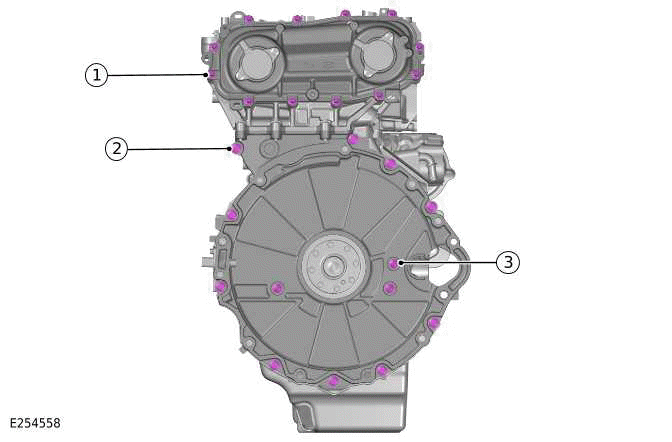
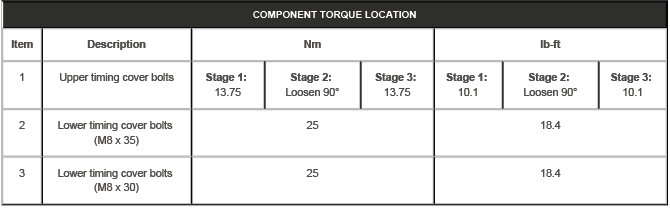
COMPONENT TORQUE LOCATION
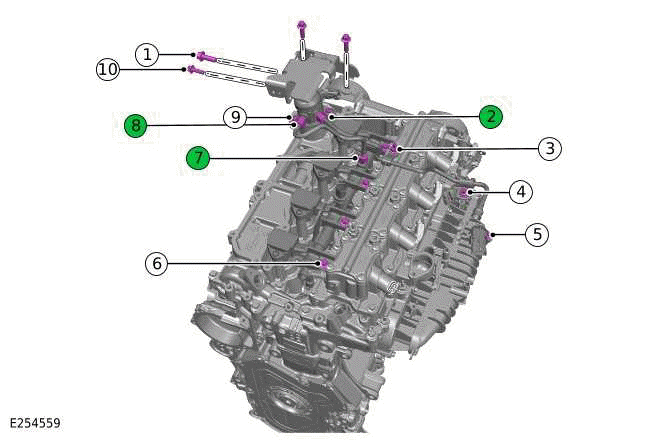
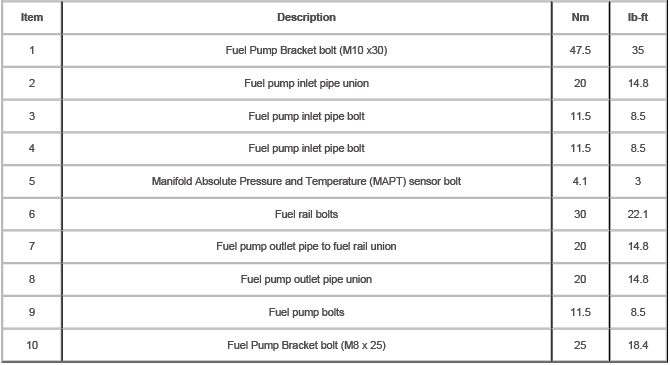
COMPONENT TORQUE LOCATION
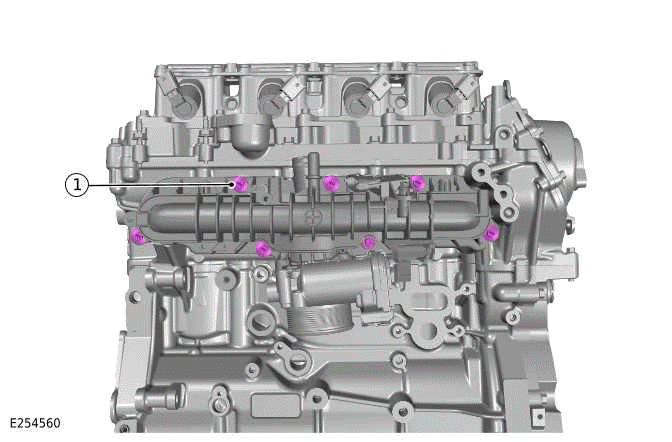

COMPONENT TORQUE LOCATION
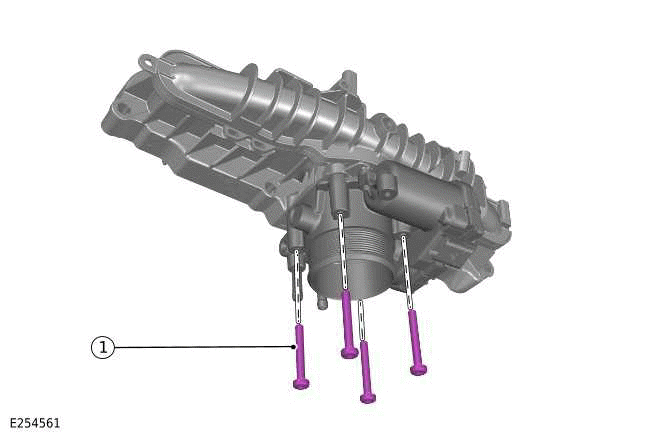

COMPONENT TORQUE LOCATION
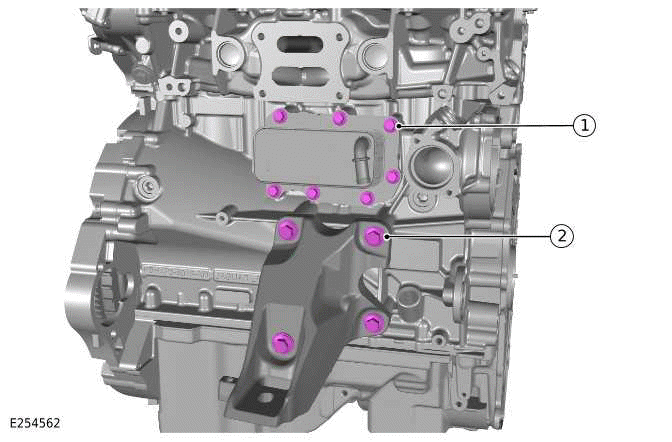

COMPONENT TORQUE LOCATION
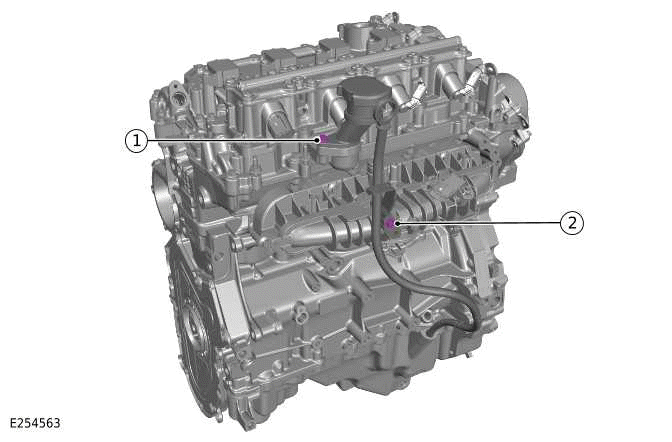

COMPONENT TORQUE LOCATION
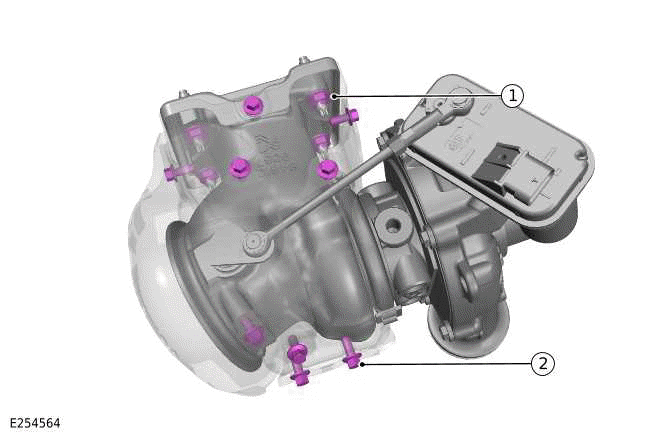

COMPONENT TORQUE LOCATION
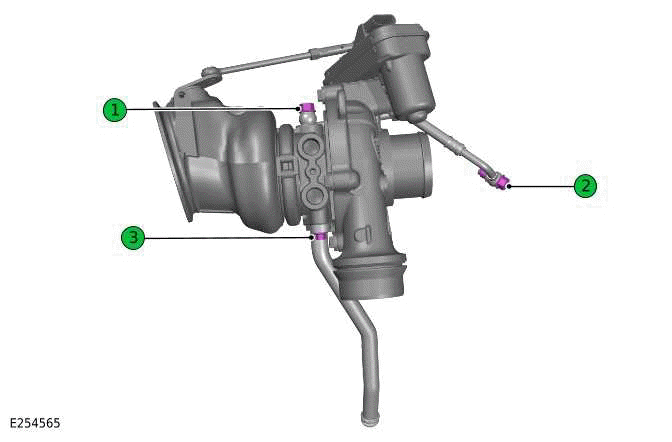


COMPONENT TORQUE LOCATION
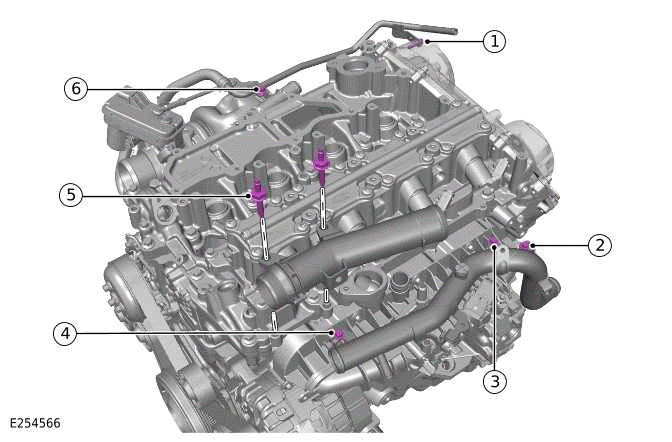
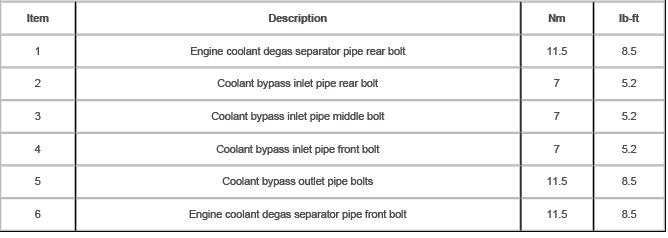
COMPONENT TORQUE LOCATION
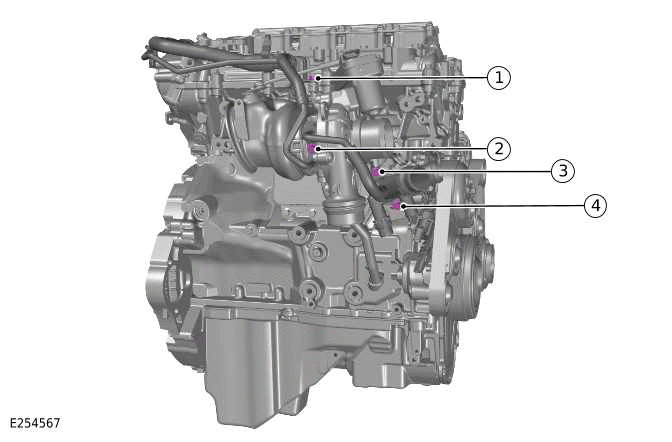
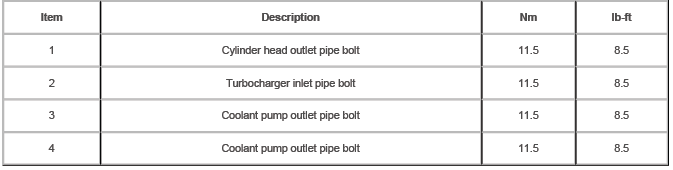
COMPONENT TORQUE LOCATION
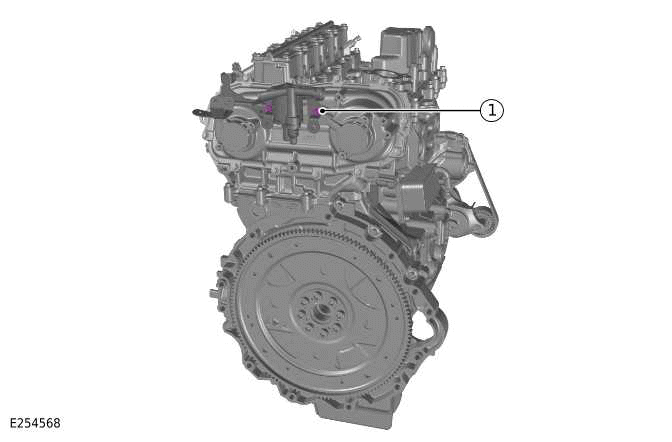

COMPONENT TORQUE LOCATION
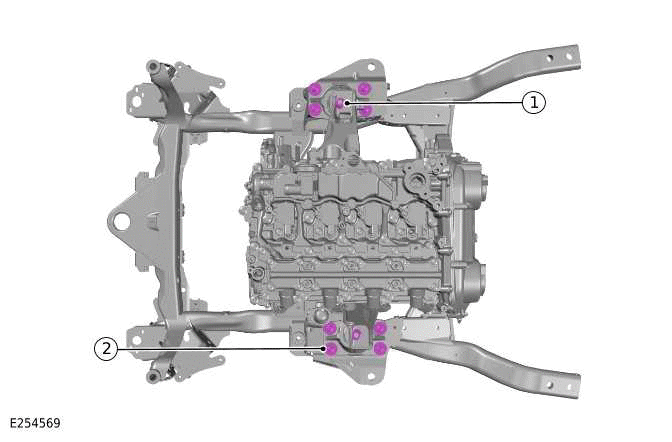

COMPONENT TORQUE LOCATION
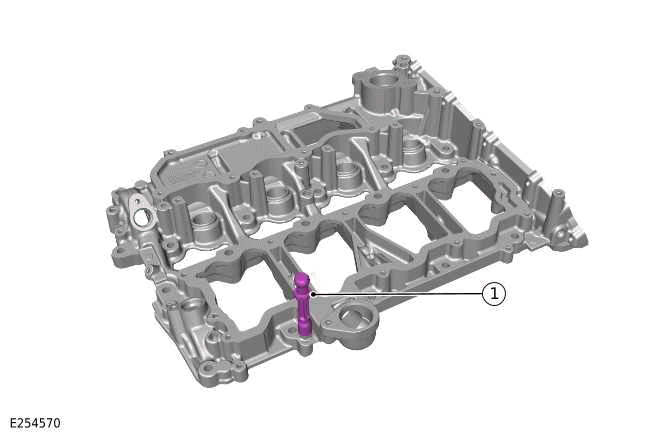

COMPONENT TORQUE LOCATION
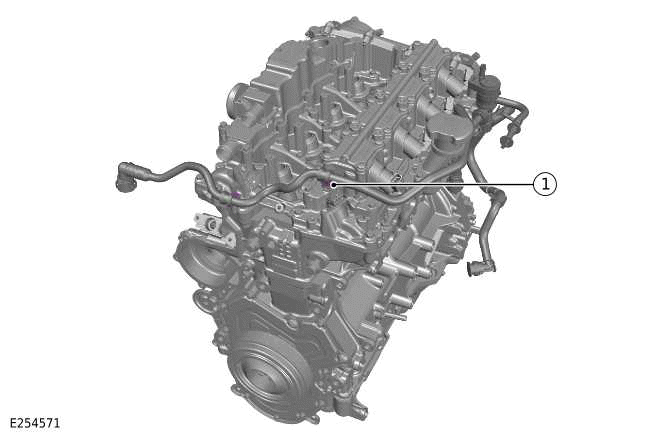

COMPONENT TORQUE LOCATION
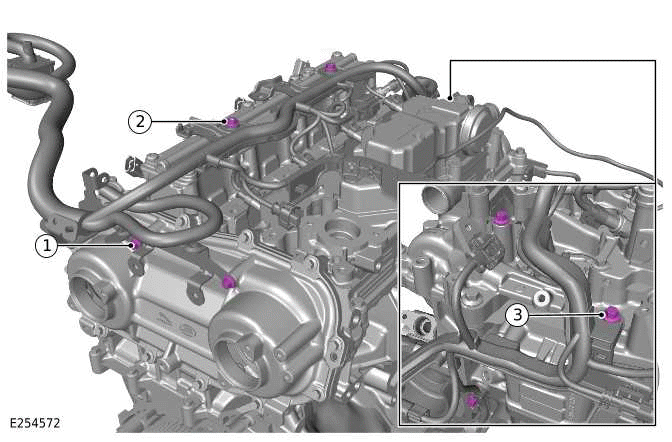
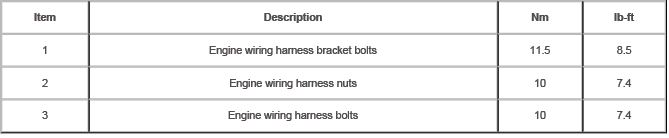
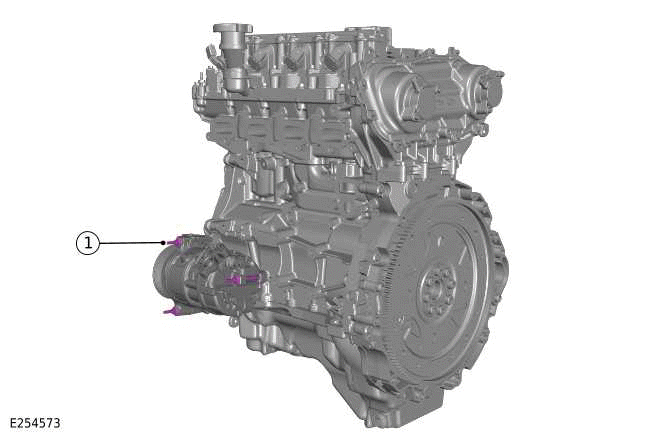
COMPONENT TORQUE LOCATION


- Engine - Description and Operation
- Engine - Diagnosis and Testing
- Engine Oil Vacuum Draining and Filling
- Crankshaft Pulley - Ingenium I4 2.0l Petrol
- Crankshaft Rear Seal - Ingenium I4 2.0l Petrol
- Camshafts - Engine Set
- Oil Cooler - Ingenium I4 2.0l Petrol
- Oil Filter Element
- Oil Pan - Ingenium I4 2.0l Petrol
- Oil Pump - Ingenium I4 2.0l Petrol
- Left Engine Mount - Ingenium I4 2.0l Petrol
- Right Engine Mount - Ingenium I4 2.0l Petrol
- Lower Timing Cover - Ingenium I4 2.0l Petrol
- Valves
- Camshaft Carrier
- Cylinder Head
- Upper Timing Chain
- Engine Front Cover - Ingenium I4 2.0l Petrol
- Intake Manifold - Ingenium I4 2.0l Petrol
- Upper Timing Cover
- Lower Timing Chain - Ingenium I4 2.0l Petrol
- Oil Filter Housing
- Oil Pump Drive Chain - Ingenium I4 2.0l Petrol
- Continuous Variable Valve Lift
- Continuous Variable Valve Lift Oil Temperature Sensor
- Variable Camshaft Timing Actuator
- Drive Plate - Ingenium I4 2.0l Petrol
- Engine - Removal
- Engine and Ancillaries - Removal
- Engine - Installation
- Engine and Ancillaries - Installation
READ NEXT:
 Component Location, Overview
COMPONENT LOCATION
COMPONENT LOCATION - EXTERNAL VIEW
OVERVIEW
The Ingenium I4 2.0L petrol engine is an inline 4 cylinder, turbocharged
engine that employs advanced modular
design principles.
The e
Description
CYLINDER BLOCK COMPONENTS
Bolt - Cylinder block front cover (quantity 14)
Cylinder block front cover
Cylinder block
Cylinder block rear cover and oil seal
Bolt - Cylinder block rear cover and o
SEE MORE:
Left Upper Control Arm
REMOVAL AND INSTALLATION
SPECIAL TOOL(S)
JLR-204-803
Splitter, Upper Arm
GENERAL EQUIPMENT
PART(S)
REMOVAL
CAUTION:
Nuts and bolts must be tightened with vehicle at normal ride height. Failure to
follow this instruction may
result in damage to the component.
NOTES:
This procedure contains some
Coil Spring
REMOVAL AND INSTALLATION
GENERAL EQUIPMENT
PART(S)
REMOVAL
CAUTION:
Only tighten the nuts and bolts when the suspension is at the normal ride
height. Failure to follow this
instruction may result in damage to the vehicle.
NOTE:
This procedure contains some variation in the illustrations dependi
